Kitchflow
A collaborative workflow for kitchen designers.
Concept Design · 2026
Context
Kitchen design studios often rely on disconnected tools and manual presentations, making proposals harder to manage, present and review flexibly.
Role
As an independent product designer, I used a Design Thinking process to research the workflow, define the concept and design the professional and client experiences.
Impact
Kitchflow helps designers prepare clearer, more connected proposals while giving clients a guided way to review and approve them.
Kitchen proposal workflows are slow and fragmented
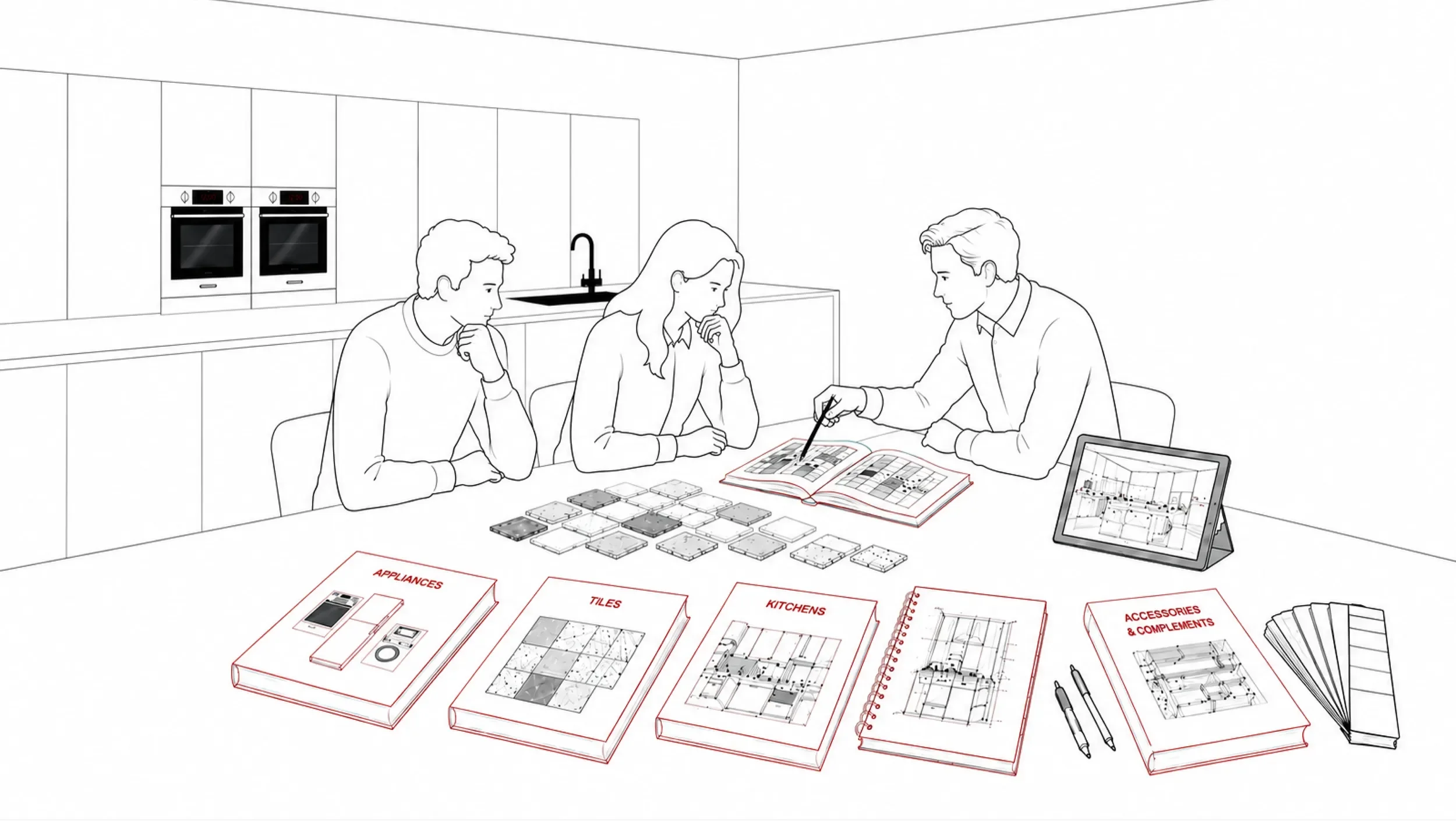
Kitchflow explores a workflow challenge I first observed while working as a kitchen designer in the UK.
Designers were expected to collect client requirements, select products, prepare visual proposals and support sales conversations — often using fragmented tools and manual processes.
This fragmented process creates friction throughout proposal creation and client communication.
Where the experience breaks down
On-site visit
Information is captured manually across tools
Designer rely on fragmented catalogues
Product search
Client questions
Important answers are often delayed
Design Proposal
Proposals can take up to an few days
Slow delivery risks losing momentum
Presentation
Under pressure
Interrupted
Frustrated
Uncertain
Overwhelmed
Exploring a market gap
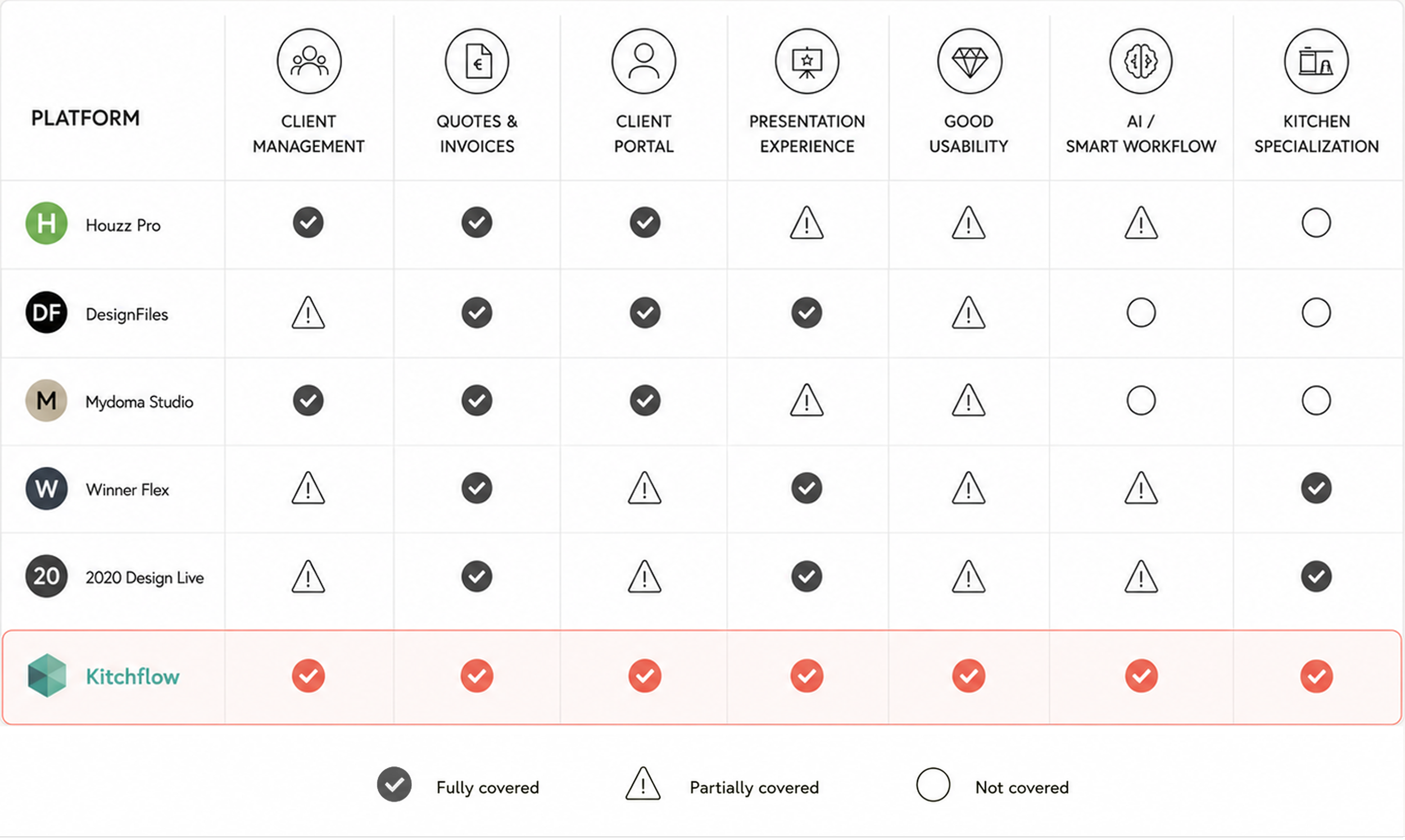
Existing tools only cover parts of the kitchen design process.
Some support specific tasks - 3D design, quoting, catalogues or client management -but the end-to-end workflow remains fragmented.
Kitchflow explores this gap by centralising client needs, materials, renders, presentations, feedback and approvals in one shared experience.
Key opportunities
Capture requirements once, from anywhere.
Collect client needs, measurements and preferences without relying on paper checklists or scattered notes.
01
Create proposals with less unpaid effort.
Centralise products, materials, renders and pricing to reduce manual preparation time before a sale is confirmed.
02
Present with confidence, remotely or in person.
Give designers the context they need to explain decisions, answer questions and guide client approvals.
03
Introducing Kitchflow
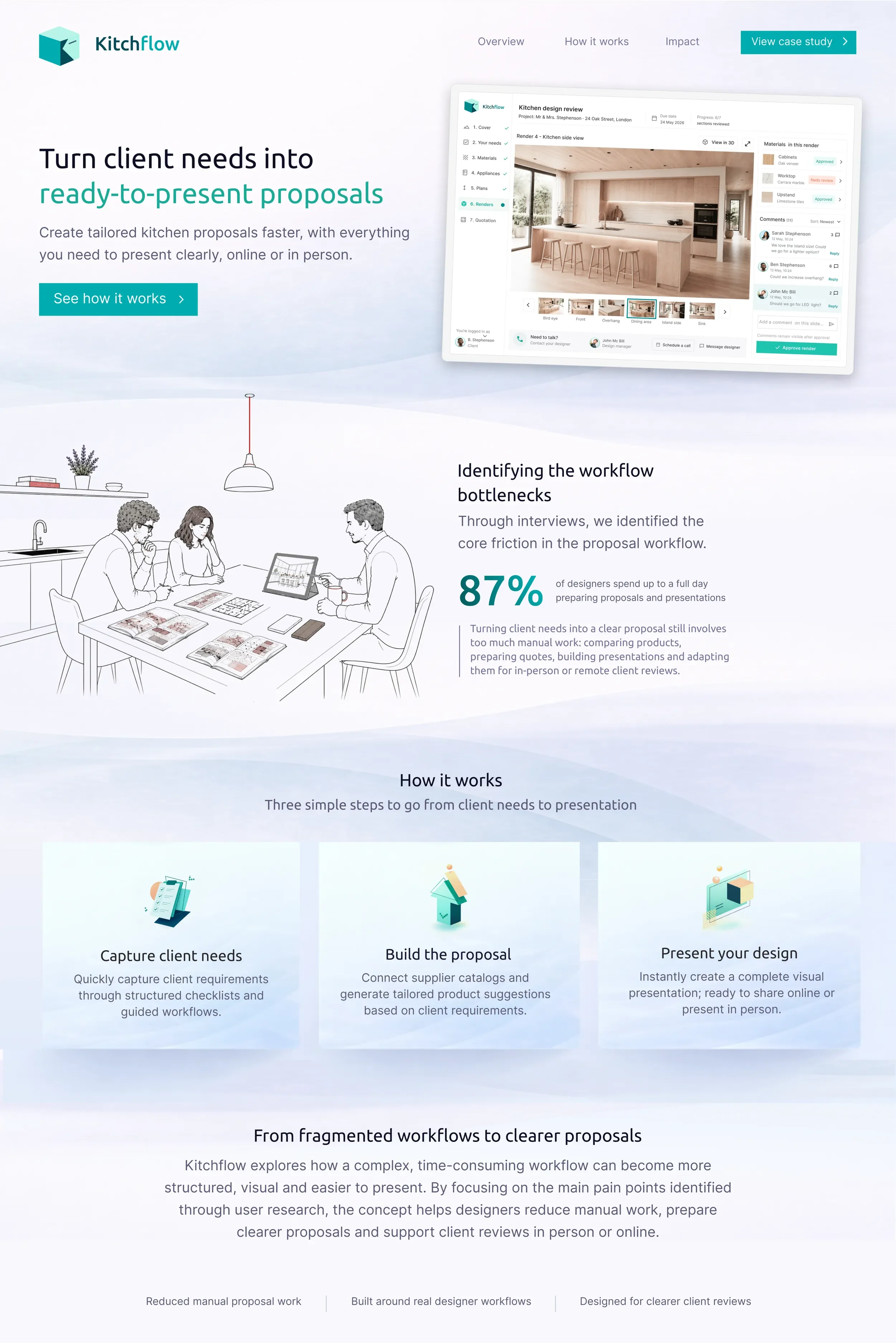
Kitchflow explores a unified workflow for kitchen designers, bringing project management, proposal creation and client collaboration into a single experience.
Workflow for profesionals
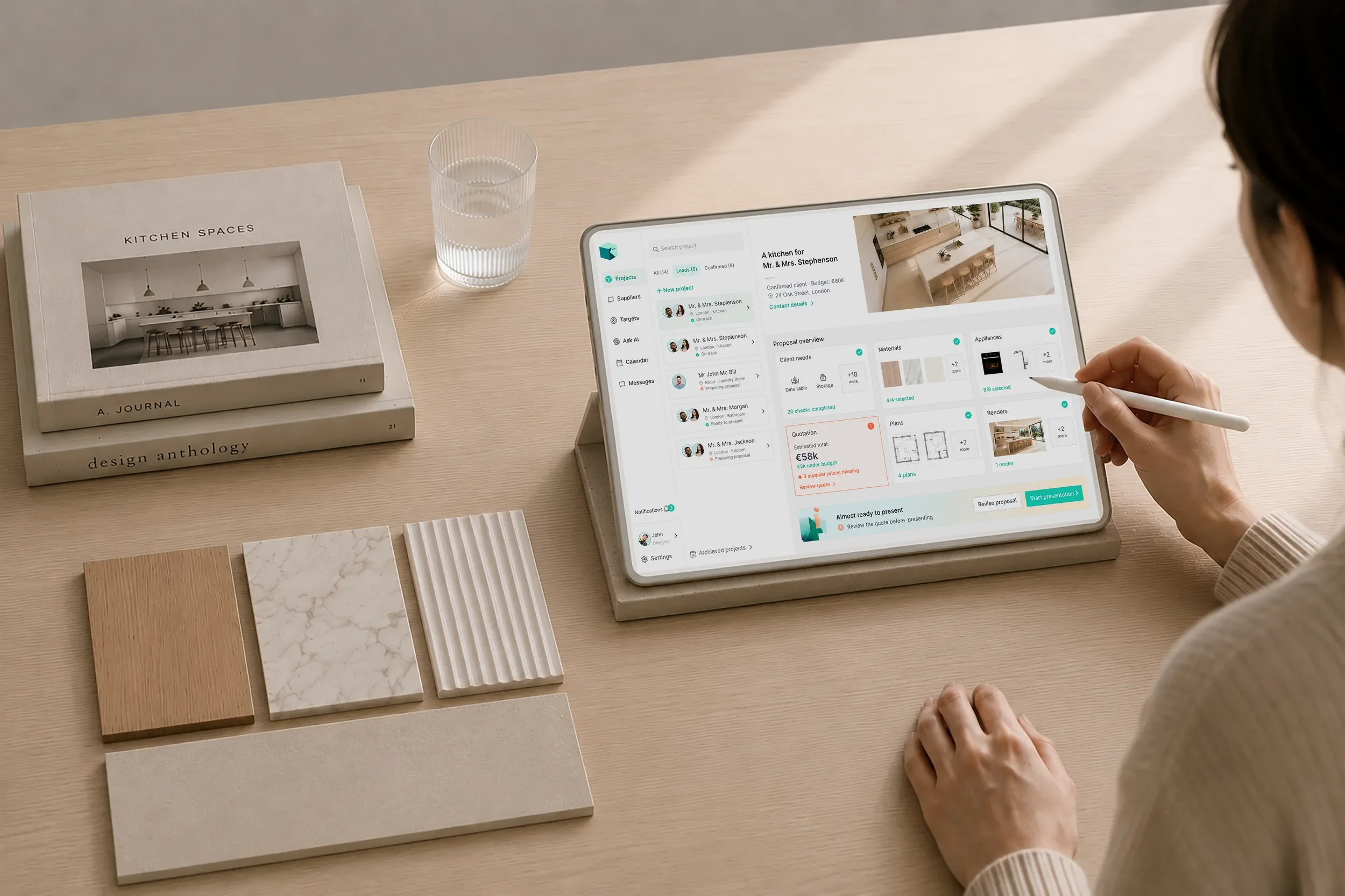
Proposal workflow
Kitchenflow helps designers move from client requirements to product selection and final presentation, keeping key information accessible during showroom meetings and on-site visits.
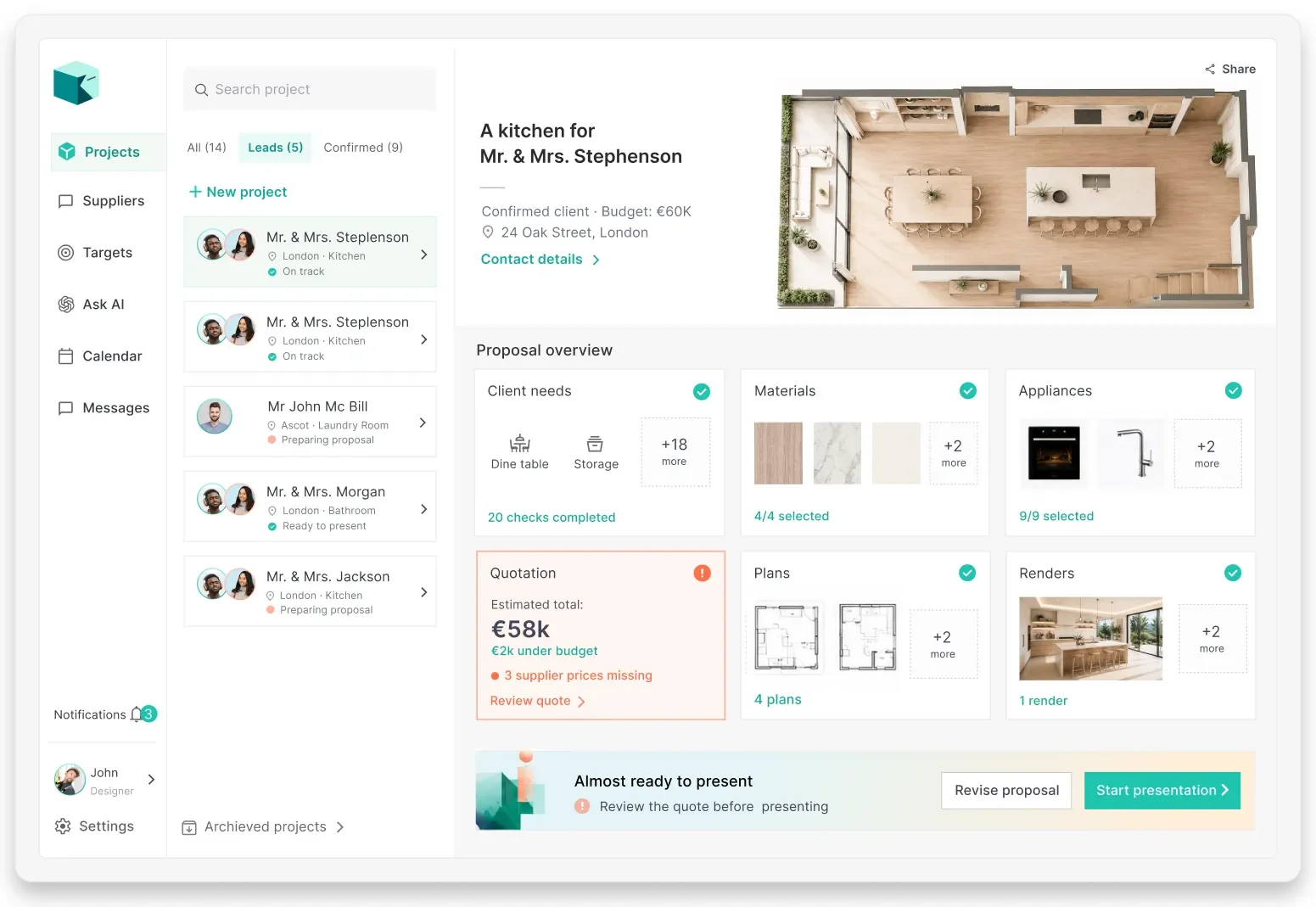
Project dashboard
The dashboard turns each proposal into a clear progress overview, helping designers identify completed sections, pending decisions and blockers before presenting to the client.
Workflow for clients
Flexible client presentations
Kitchenflow helps clients review proposals in person, asynchronously through comments, or live with the designer through a scheduled video call.
Each proposal brings together materials, appliances, plans, renders and quotation, so clients can compare, comment and approve with more clarity.
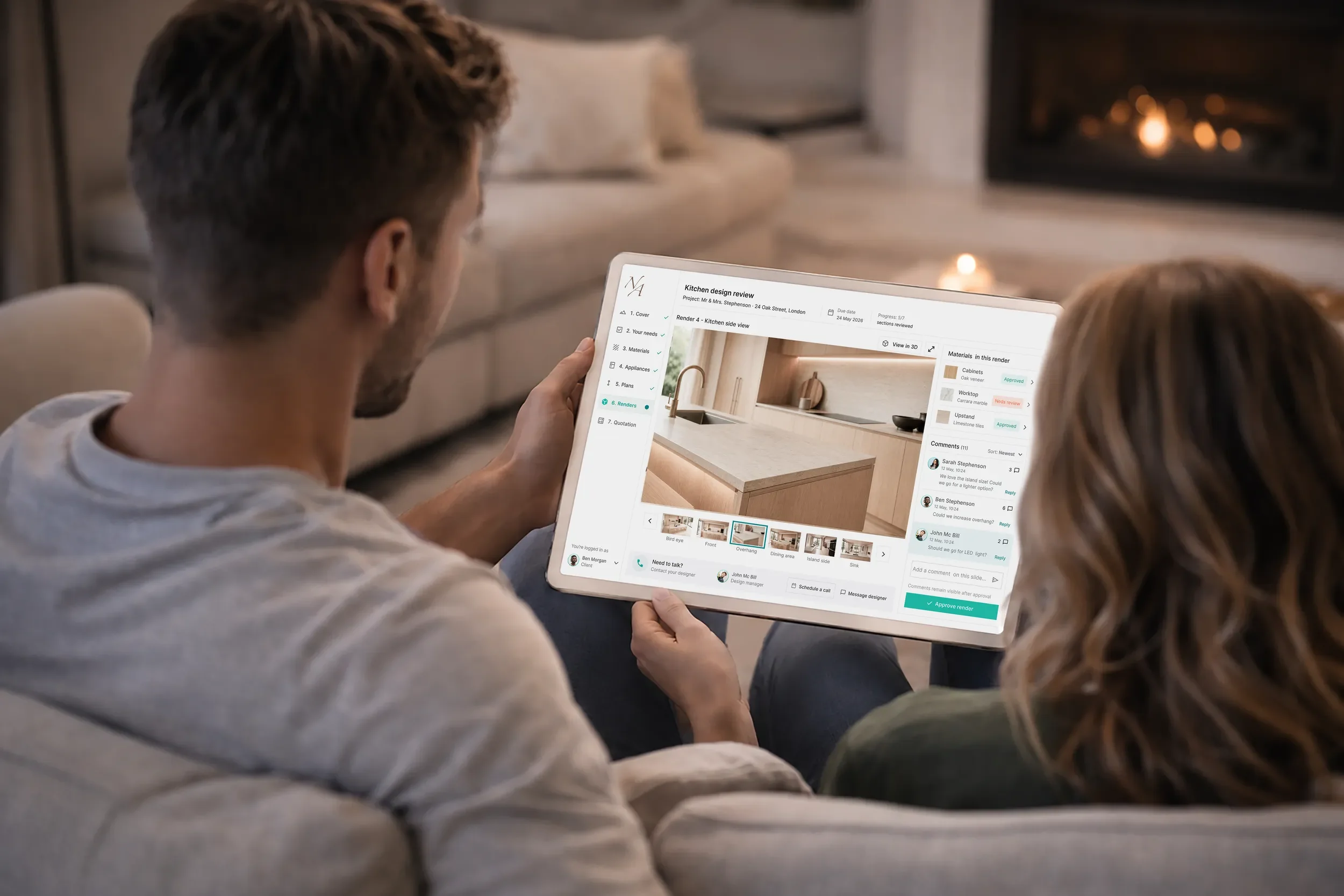
Proposal review
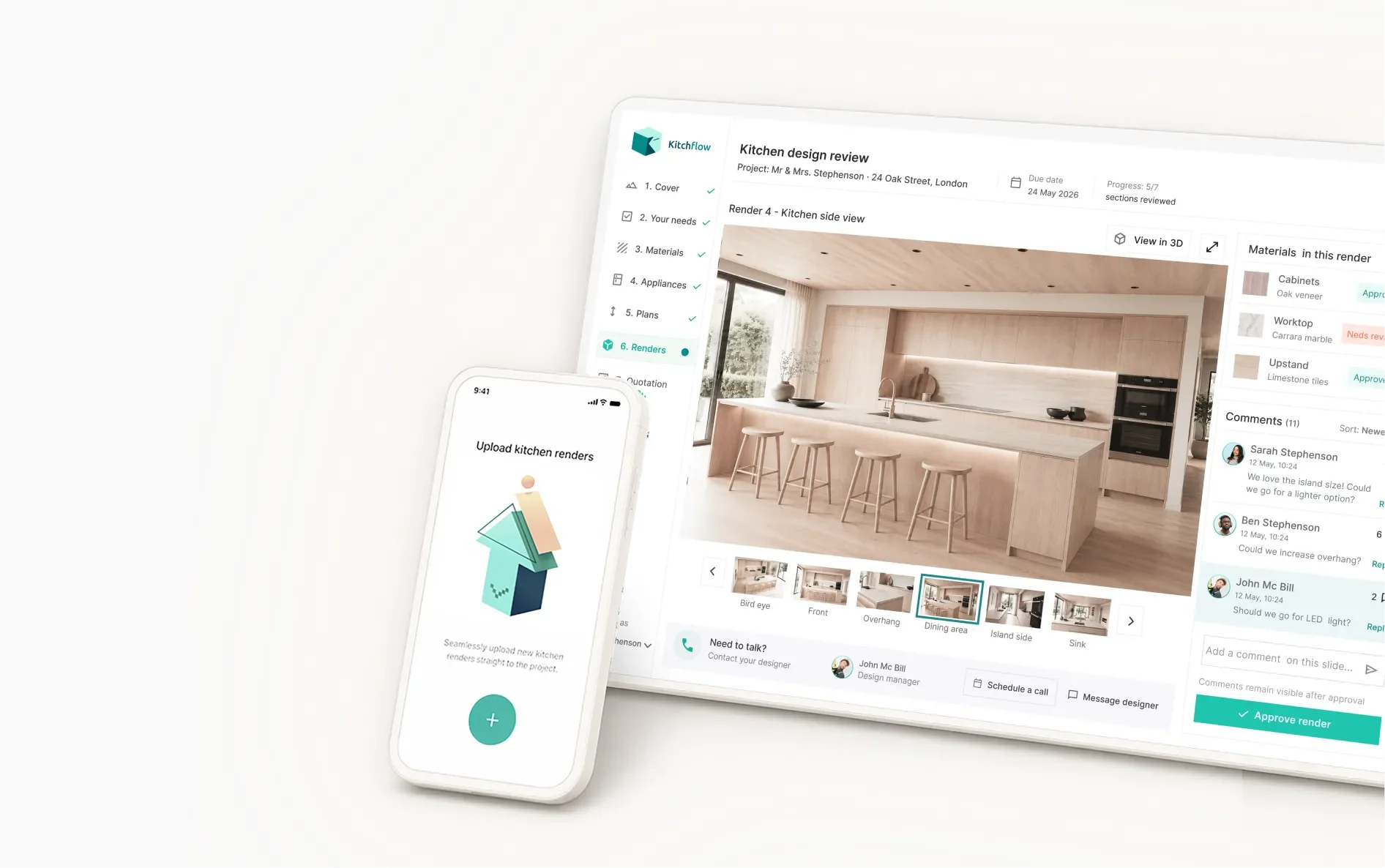
Clients can review each render with the key information around it: materials, comments and approval status.
The image stays at the centre, while thumbnails and contextual feedback help clients compare views and make decisions clearly.
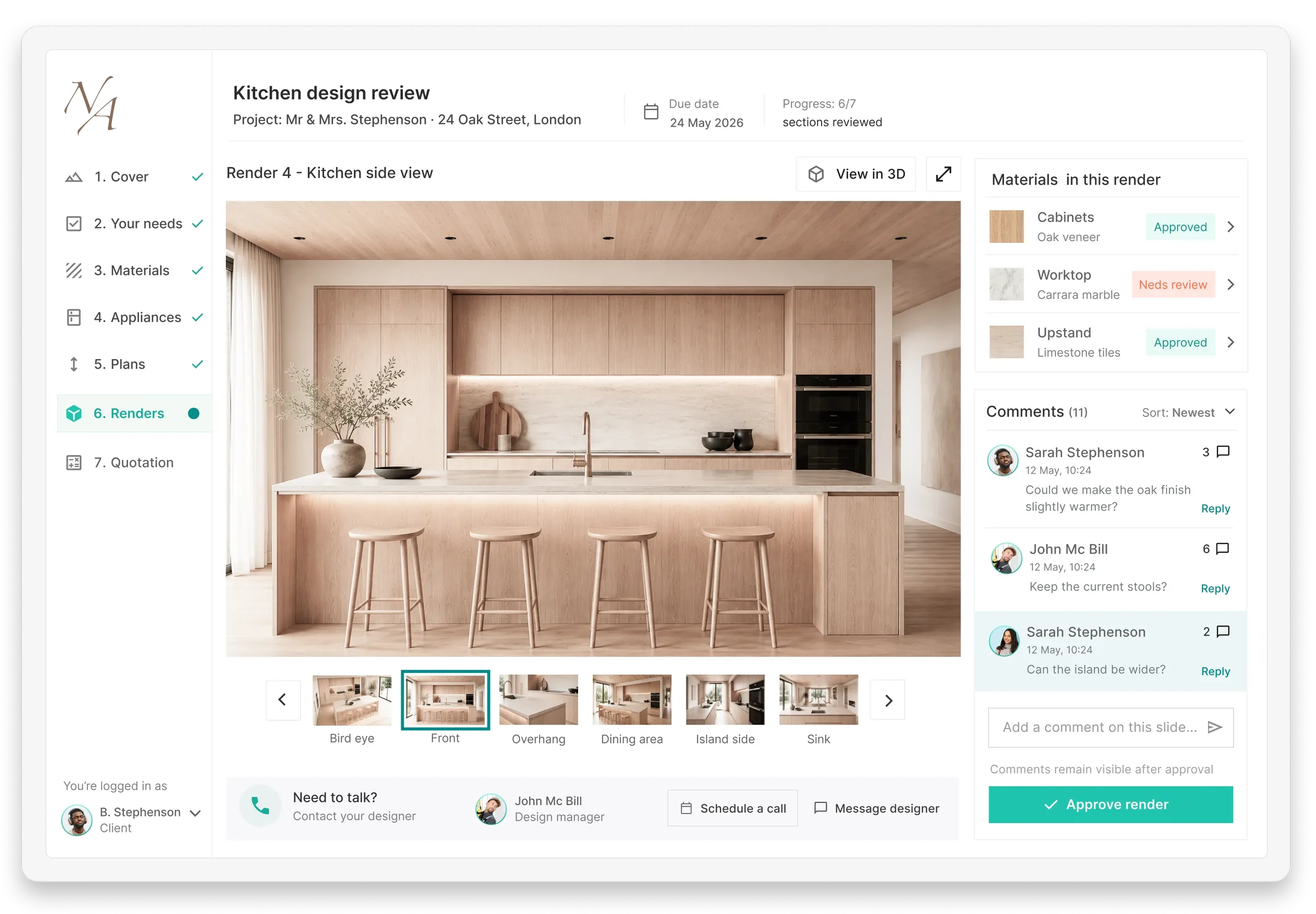
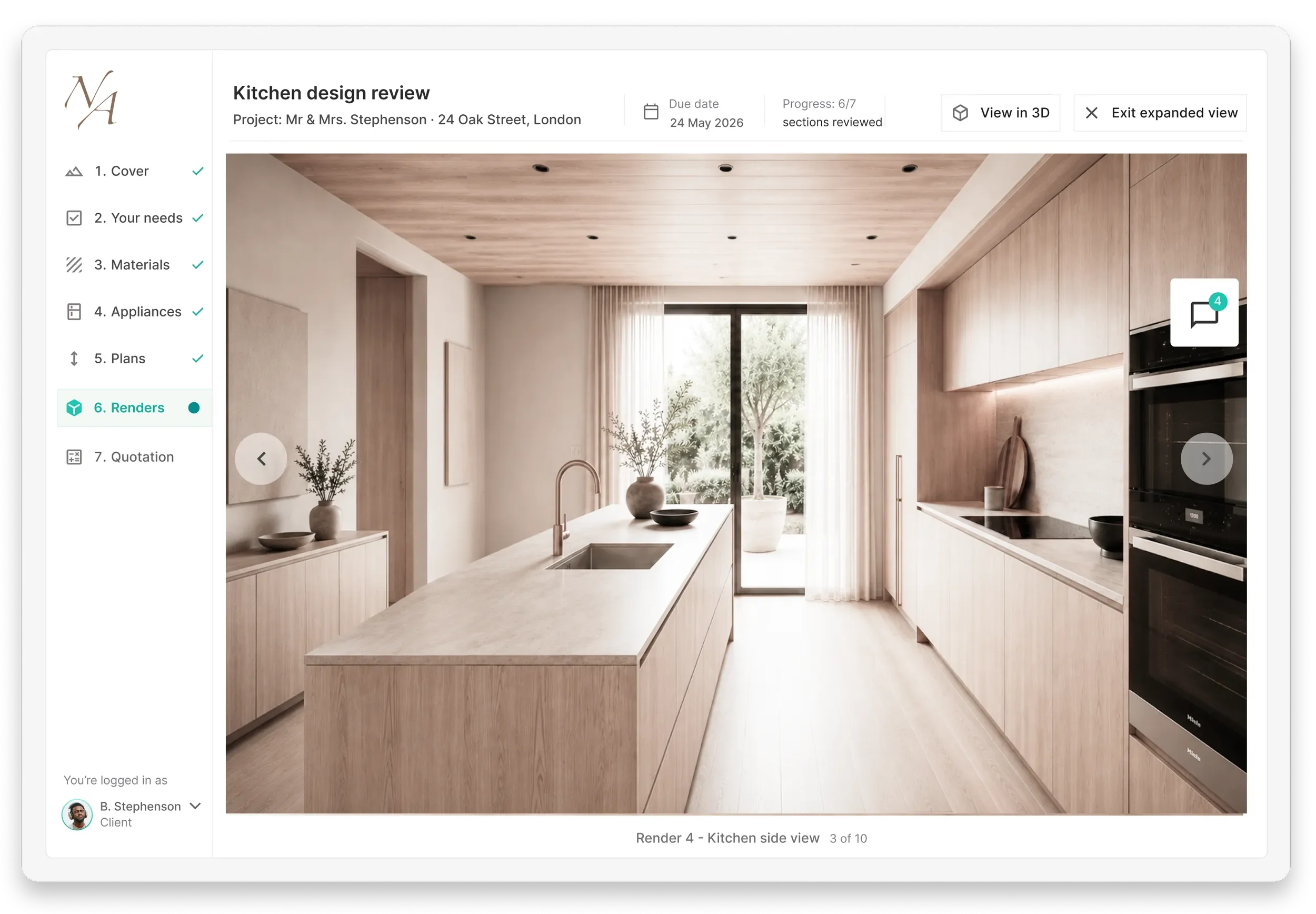
Expanded render view
Expanded view gives the render more space while keeping the project context visible.
Comments, 3D view and render navigation remain accessible, supporting a focused review without leaving the presentation flow.
Reflections
Designing Kitchflow helped me explore how a fragmented proposal process can become more structured, visual and collaborative.
The main challenge was balancing two needs: giving designers a practical workspace to manage projects, while giving clients a clear and guided way to review decisions, compare options and provide feedback.
This project reinforced the importance of keeping context visible across complex workflows, especially when users move between information, presentation and decision-making.
Want to see the full design process?
Read the complete Medium case study to explore the research, decisions behind the project.